<!-- SEO: Title: Klaviyo Integration — Export, Update, and Import Templates from Migma | Description: Connect Klaviyo to Migma to export new templates, update existing ones, and import Klaviyo templates as style references. Built for marketers and teams who want production‑ready emails fast. -->
Klaviyo Integration: From idea to campaign in minutes
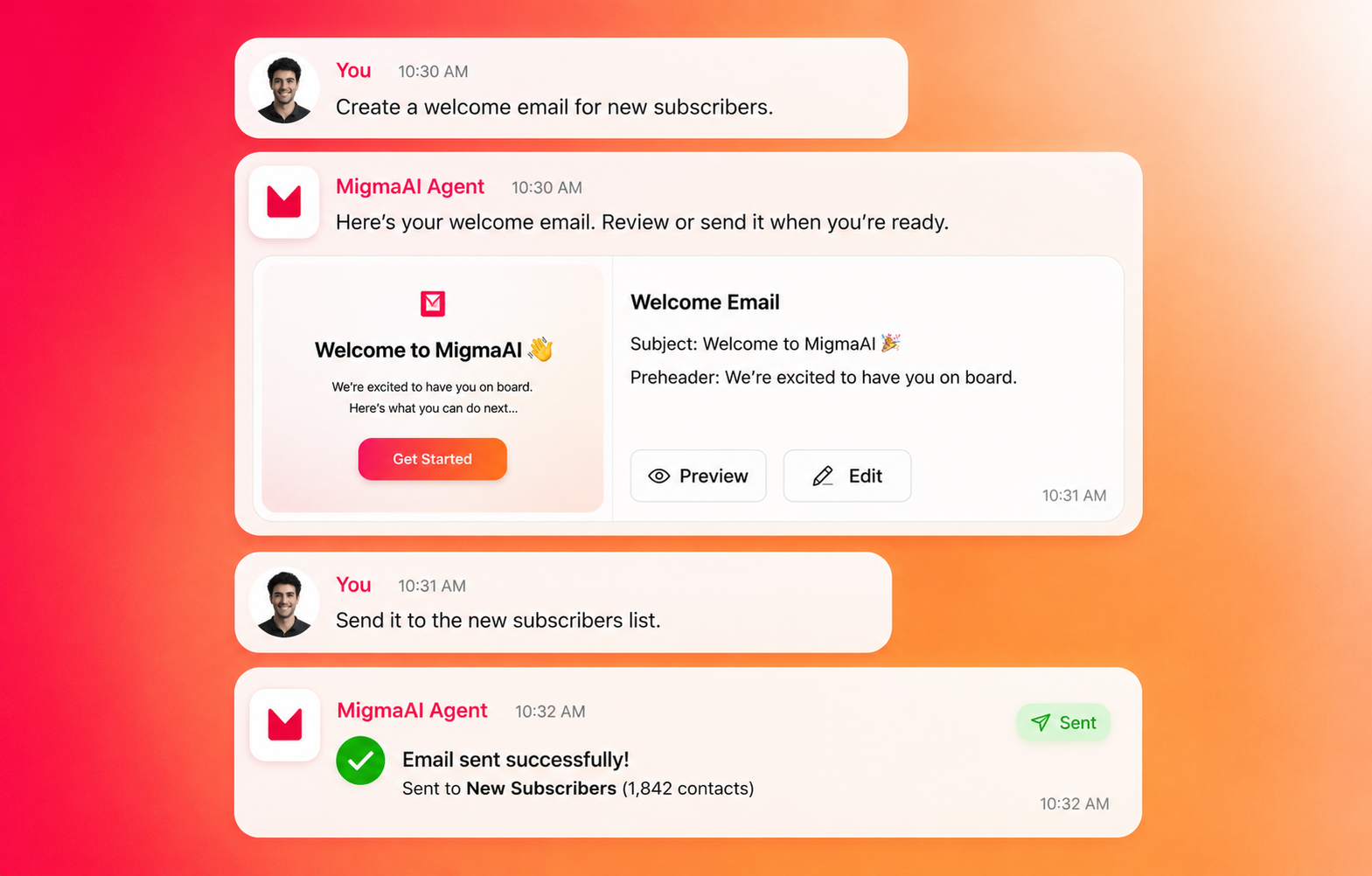
Stop the copy-paste shuffle. Connect Klaviyo once and launch email campaigns 3x faster — while keeping your brand perfectly consistent across every template.
What This Means for Your Campaigns
- Launch faster: Export emails directly to Klaviyo with one click
- Stay on-brand: Import existing templates as style guides for new campaigns
- Iterate quickly: Update templates as you refine your messaging
- Save hours: Skip the manual copy-paste between tools
- Scale efficiently: Create more campaigns without growing your team
Perfect for marketing teams who need professional emails fast, without the designer bottleneck.
<iframe width="100%" height="400" src="https://www.youtube.com/embed/781rCdcqDtc" title="Export emails to Klaviyo from Migma" frameborder="0" allow="accelerometer; autoplay; clipboard-write; encrypted-media; gyroscope; picture-in-picture; web-share" referrerpolicy="strict-origin-when-cross-origin" allowfullscreen></iframe>
Get Started in 5 Minutes
Step 1: Connect Klaviyo (2 minutes)
- Go to "Connectors" → Klaviyo
- Paste your Klaviyo API key → Click Connect
- Hit "Test Connection" to confirm it's working
Step 2: Import Your Brand Style (optional)
- Browse your existing Klaviyo templates
- Click "Use as Reference" on templates you love
- Migma will learn your brand style for future emails
Step 3: Export Your First Email (1 minute)
- Open any email in Migma → Click "Export to Klaviyo"
- Choose your editing preference:
- Visual Editor: Perfect for drag-and-drop edits in Klaviyo
- Code Editor: Full control for advanced customization
- Name your template → Click Create
- Done! Your email is now live in Klaviyo
🚀 Connect Your Klaviyo Account - Free Setup
Why Marketing Teams Choose Migma + Klaviyo
Faster Campaign Launches
Launch campaigns in minutes, not hours. No more waiting for designers or developers to format your emails.
Perfect Brand Consistency
Import your existing Klaviyo templates once, and every new email automatically matches your brand guidelines.
Flexible Workflow
Choose how you want to edit: visual drag-and-drop in Klaviyo or full HTML control for advanced campaigns.
Built-in Quality Check
Test your emails across Gmail, Outlook, and Apple Mail before sending. Catch deliverability issues early.
Works With Your Stack
One platform to create, test, and deploy across all your email providers. No more tool-switching.
Frequently Asked Questions
How do I connect my Klaviyo account?
Go to "Superpower & Connectors" → Klaviyo → paste your API key → Connect. We'll test the connection to make sure everything works.
Will this work with my existing Klaviyo campaigns?
Absolutely. You can import your current templates as style references, and all exported emails work seamlessly with your existing Klaviyo flows and segments.
Can I still use Klaviyo's drag-and-drop editor?
Yes! Choose "Visual Editor" when exporting and you'll get full drag-and-drop functionality in Klaviyo. Need more control? Pick "Code Editor" instead.
What happens if I update a template?
When you export updates, Migma automatically updates the same template in Klaviyo. No duplicates, no confusion.
Will my emails look right across different email clients?
Use our Email Preflight feature to test Gmail, Outlook, Apple Mail, and more before sending. Catch any rendering issues early.
Do I need a paid plan for this?
Klaviyo integration is available on our Premium plans. Check pricing here or start with a free trial.
Can my team collaborate on templates?
Yes, your entire team can access shared templates and brand guidelines once connected.
<!-- SEO Keywords: Klaviyo integration, export Klaviyo template, Klaviyo visual editor, drag and drop email editor, export HTML to Klaviyo, Klaviyo template update, Migma Klaviyo, Klaviyo AI email generator, Klaviyo template import, Klaviyo best practices -->