
Introduction
Managing email campaigns shouldn't always mean opening another dashboard. Sometimes you just want to ask for what you need and get it done, from wherever you already are. Starting today, MigmaAI integrates with OpenClaw, bringing your full email workflow into WhatsApp, Telegram, Discord, and Slack through simple chat commands.
TL;DR
- Generate, validate, send, and export emails directly from your messaging app.
- Manage contacts, tags, segments, and campaigns, all from a single chat message.
- No coding, no ESP login, no context switching.
- Add the official Migma skill to OpenClaw in seconds.
- Push finished emails to Klaviyo, Mailchimp, HubSpot, PDF, or MJML.
What's New
Use MigmaAI From Your Favorite Messaging App
OpenClaw is an open-source AI assistant that runs across WhatsApp, Telegram, Discord, and Slack. By adding the official Migma skill, your assistant gains the full capability of MigmaAI, email generation, sending, validation, audience management, and export, controlled entirely through conversation.
Install the skill in one command:
openclaw skills install MigmaAI/migma-skills/migma
Or install via ClawHub:
npx clawhub@latest install migma
Add your Migma API key to the skill configuration, set a default project, and your agent is ready to handle real email workflows from any platform you're already on.
From Request to Send, in One Conversation
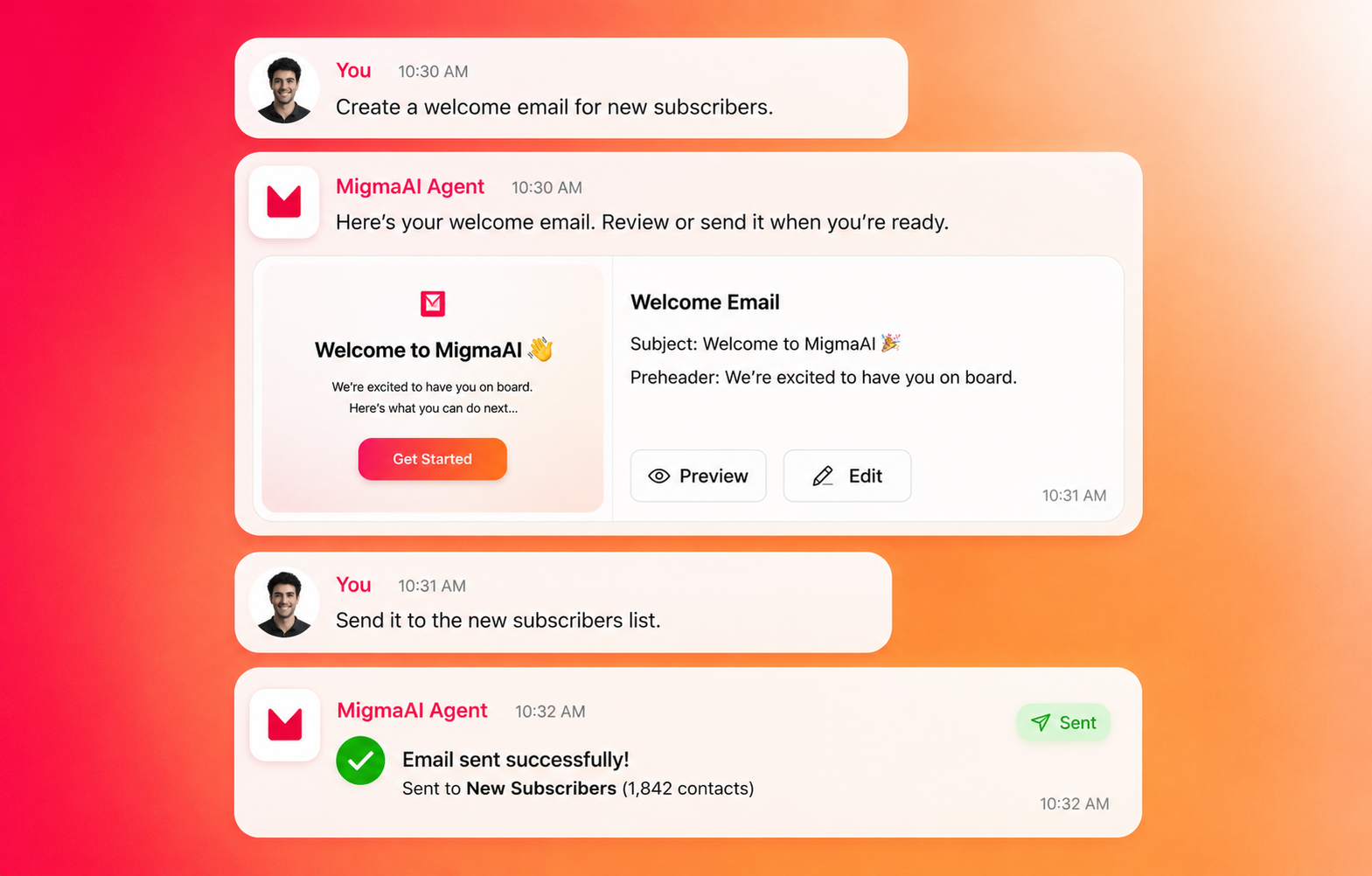
Once connected, you can ask your agent to handle end-to-end email workflows without opening MigmaAI, your ESP, or any other tool. Some examples of what you can say:
- "Create a welcome email for new subscribers"
- "Design a Black Friday sale email with 30% off"
- "Check if this email will land in spam"
- "Send our newsletter to the VIP segment"
- "Export this email to Klaviyo"
- "Import our brand from ourwebsite.com"
- "Add [email protected] to our contacts"
- "Create a product launch email, validate it, then send to our launch list"
Everything MigmaAI Can Do, From Chat
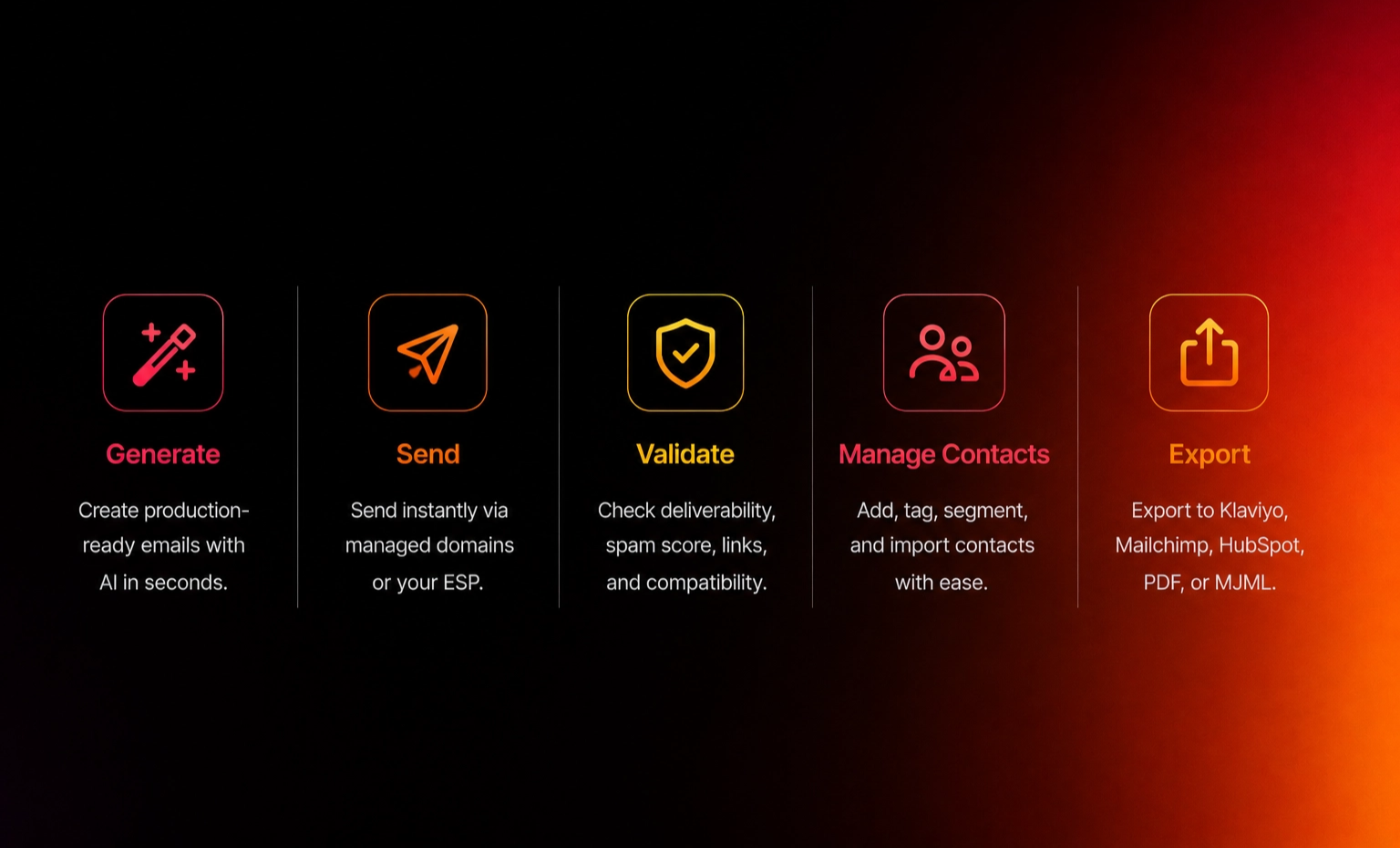
The official Migma skill covers the full workflow:
- AI email generation — describe what you want, get production-ready HTML
- Instant sending — send through a managed domain with no DNS setup, or connect external providers like SES or Resend
- Validation — check deliverability, spam score, link integrity, and client compatibility before sending
- Audience management — add contacts, create tags and segments, bulk import from CSV
- Batch campaigns — send to an entire tag or segment in one command
- Export — push to Klaviyo, Mailchimp, HubSpot, PDF, or MJML
- Brand import — import your logo, colors, fonts, and voice from any website automatically
One-Time Setup, Then It Just Works
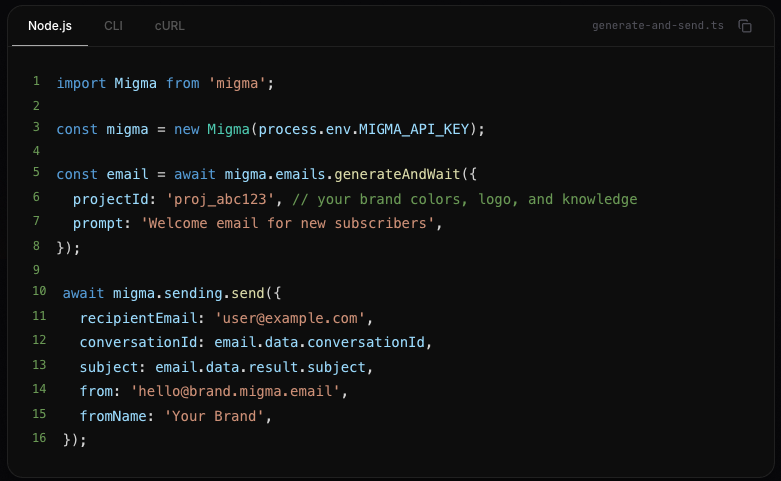
Before your agent can send emails, set up a sending domain by telling your agent: "Set up a sending domain for mycompany." This creates [email protected] , verified instantly, no DNS configuration needed. If you want to send from your own domain, custom domain setup is also supported.
Set a default project so your agent knows which brand identity to use, and you're ready. From that point on, every email your agent generates will carry your brand automatically.
What You Can Do Now
- Install the official Migma skill on OpenClaw via CLI or ClawHub
- Generate professional emails from any messaging platform
- Send and validate campaigns without opening a dashboard
- Manage contacts, tags, and segments through chat
- Export emails to your existing marketing stack
- Set up real-time webhook notifications for email events delivered, opened, clicked
Built for Everyone
Whether you are a developer who prefers working from the terminal, a marketer who lives in Slack, or a founder who manages everything from their phone, OpenClaw integration puts MigmaAI where you already work. No extra tab. No context switch. Just ask, and it's done.
MigmaAI was built to make email creation fast through AI. The OpenClaw integration extends that into every messaging platform you use every day.
Conclusion
The OpenClaw integration marks an important step forward for MigmaAI. Now, you can generate emails with AI, refine them with the Visual Editor, test them with A/B Testing, track performance with Sending Analytics, and manage your entire email workflow, all without leaving the chat app you're already in.
Connect MigmaAI to OpenClaw and start managing email workflows from wherever you already work.
Ready to try it? Install the official Migma skill at clawhub.com/migma and get started in minutes.