
Email galleryPricing
Get started
Sign InGet started
Email gallery/Flowstep/How to use Flowstep for ideation
Flowstep logoFlowstepSee all their emails

How to use Flowstep for ideation

A real educational email from Flowstep. Captured March 12, 2026.

Make this email yours

Migma AI designs one like it with your logo, colors, and images.
How to use Flowstep for ideation email from Flowstep screenshot

About this email

Captured March 12, 2026·Educational

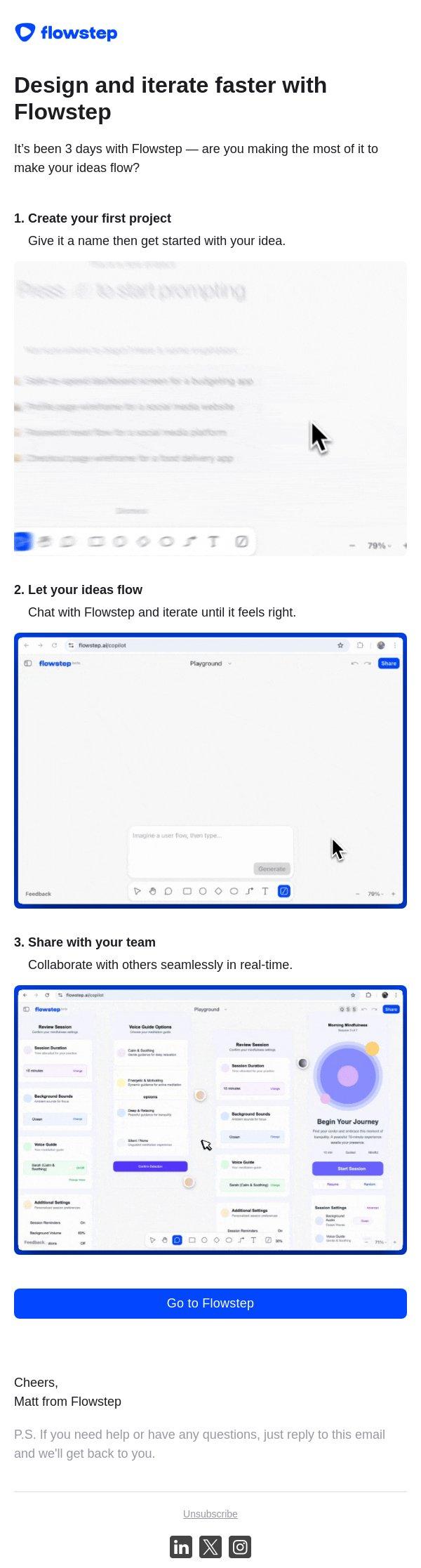
An onboarding email guiding new users through three key steps to start using the Flowstep platform effectively.

Clean, single-column layout. Logo at the top, followed by a clear headline and subheadline. Three numbered sections follow, each featuring a GIF demonstration and descriptive text. A prominent blue CTA button is placed at the bottom, followed by a personal sign-off.

Explore similar emails

  • Minimalist
  • Electronics & Tech
  • Onboarding
  • Consideration
  • App Users
  • Welcome
  • GIF

Color palette

Original email and brand assets belong to their respective owners. Design notes describe the creative, not campaign results.

Solutions

  • Marketers
  • Designers
  • Developers
  • Enterprise
  • Claude
  • ChatGPT
  • Grok Bot

Resources

  • Countdowns
  • Spoof checker
    New
  • BIMI logo
  • Email gallery
  • Tabpass
  • Pricing
  • Docs
  • Blog

Company

  • About Us
  • Brand guidelines
  • Brand kit
  • Careers
  • Support
  • FAQ

Legal

  • Privacy Policy
  • Terms & Conditions
  • Do not sell or share my personal information
  • Copyright Notice & Takedown
  • Data Processing Agreement
  • Acceptable Use

Socials

  • X / Twitter
  • Discord
  • YouTube
  • LinkedIn
MigmaAI
© 2026 MigmaAI, Inc. All rights reserved.
Backed byEWOR Logo DarkEWOR Logo Light
Built with ❤️ in Stockholm & Barcelona