Claude can turn a messy launch document into a sharp campaign brief. It can compare positioning, find missing objections, draft a sequence, and produce a visual concept in Claude Design. The production gap begins when that work has to become branded, editable email that survives client checks and reaches an approved campaign.
AI email marketing from Claude works better when Claude keeps the reasoning job and Migma owns the email artifact. Connect Claude to Migma through Remote MCP, or import a Claude Design project into Migma. Then review real previews, refine the result, run email-specific checks, and stop at a controlled draft or handoff.
Short answer
Migma supports two useful Claude workflows:
| Workflow | Start in Claude | Continue in Migma | Best fit |
|---|---|---|---|
| Claude with Migma Remote MCP | Research, plan, draft, and invoke Migma tools from Claude Code or Claude Desktop | Create editable emails, return previews and canvas links, validate selected work, and prepare a handoff | Campaign work that should stay inside one Claude conversation |
| Claude Design import | Create an email-like React or JSX design and export a `.zip` | Convert it into editable email, preserve or adapt the visual direction, then run QA | Visual concepts that already exist in Claude Design |
Anthropic documents custom remote connectors across Claude surfaces and plans, with owner controls for team accounts. Current access and menus can change, so follow Migma's live setup guide instead of copied screenshots from an old post.
Where Claude email marketing usually stops
Claude is useful before production because it can hold a long brief and challenge weak logic. That same strength does not remove email-specific work.
A production marketing email still needs:
- Saved brand voice, colors, fonts, logos, and product facts
- A responsive structure built for email clients
- Working links and personalization fallbacks
- Mobile, dark-mode, and client-aware review
- Sender, audience, consent, and unsubscribe checks
- A visible approval boundary before export or sending
Raw HTML can look fine in a browser and fail in Outlook. A beautiful Claude Design component can rely on web behavior that email clients do not share. Plain copy still has to be rebuilt in another tool.
Migma gives Claude an email production layer instead of another text destination.
I would judge the connection on correction quality, not first-draft novelty. One bounded change should update the intended email without dropping approved facts, links, or the rest of the series.
Workflow 1: Connect Claude to Migma
Follow Connect Migma to Claude Code and Desktop. Both routes use Migma Remote MCP at https://migma.ai/mcp and browser OAuth, so you do not paste an API key into Claude.
Connect with Claude Code
Add Migma as a user-scoped HTTP MCP server:
claude mcp add --scope user --transport http migma https://migma.ai/mcp
Open /mcp, select Migma, and complete browser approval. Review requested permissions. If the connection includes email:send, it can allow test or live sends. Keep Claude Code confirmation controls enabled and approve only actions you intend.
Connect with Claude Desktop
Open + → Connectors → Add connector → Add custom connector. Enter Migma and https://migma.ai/mcp, then complete the browser sign-in.
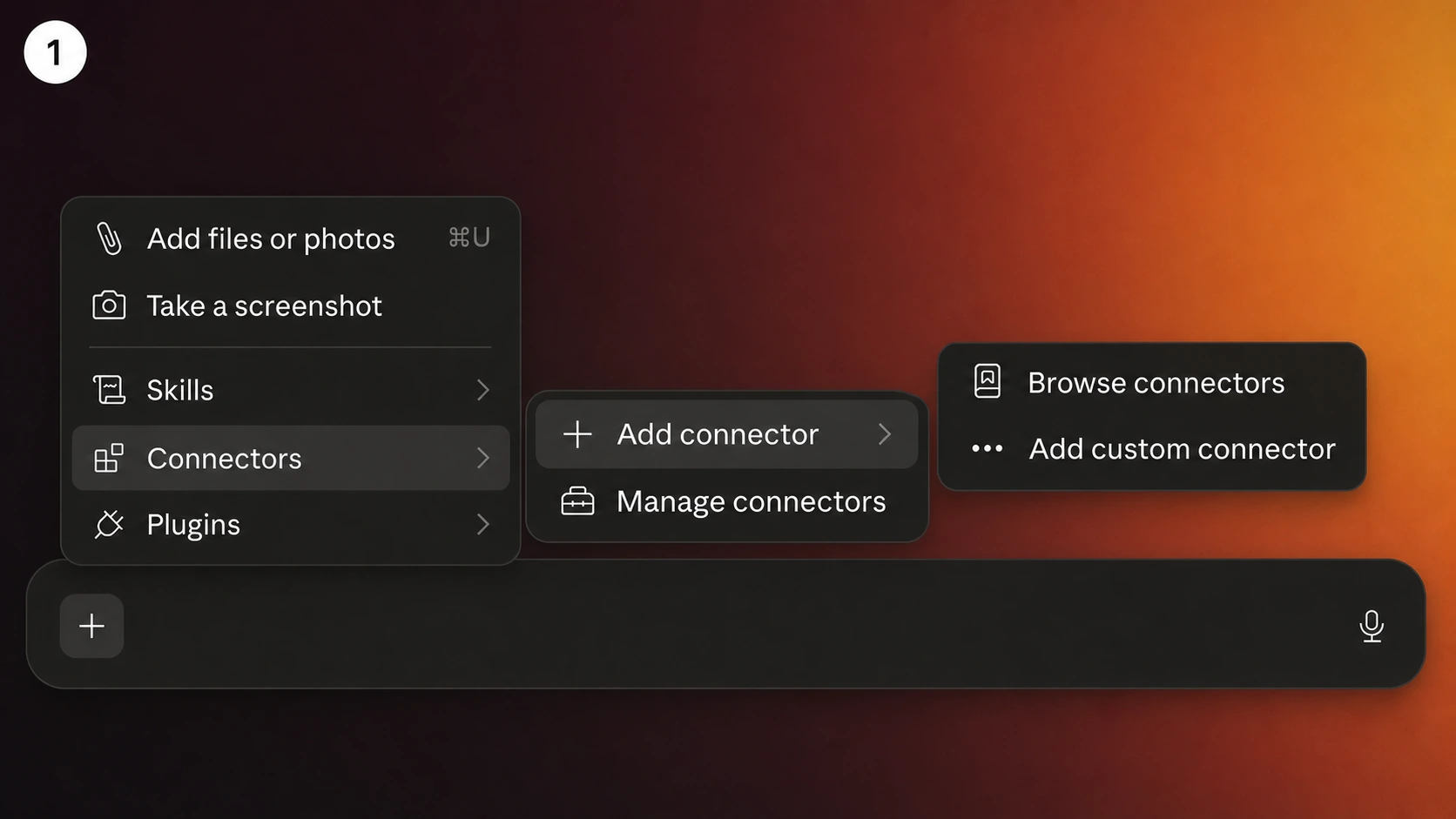
On Team or Enterprise, an owner may need to add the connector first. Each member still connects their own Migma account.
Verify before creating anything
Start with a read-only request:
Use Migma to list my brands. Do not create, export, schedule, or send anything.
Confirm Claude returns the expected brands. This proves the connection and account context before the first write action.
Give Claude a campaign contract
A long context window does not rescue a vague brief. Define the decision Claude should make and the artifact Migma should create.
Use Migma for the Acme brand. Prepare a two-email onboarding series for workspace owners who created a project but invited no teammates in their first three days. Email one should explain the collaboration benefit. Email two should answer the security objection. Use only attached product facts and preserve every approved URL. Return preview images and canvas links. Do not send, schedule, or export anything.
Useful inputs include:
- Audience and lifecycle stage
- Campaign goal and one primary CTA
- Approved claims and source URLs
- Offer, deadline, and exclusions
- Known objections
- Required variables and fallbacks
- Email count and job of each email
- Stop condition
Ask Claude to surface missing facts before generation when the brief is still moving.
Review the artifact, not only Claude's prose
Migma can return preview images and canvas links inside the Claude workflow. Use the preview for composition, hierarchy, image treatment, CTA placement, and sequence rhythm. Open the canvas for direct visual edits or detailed team review.
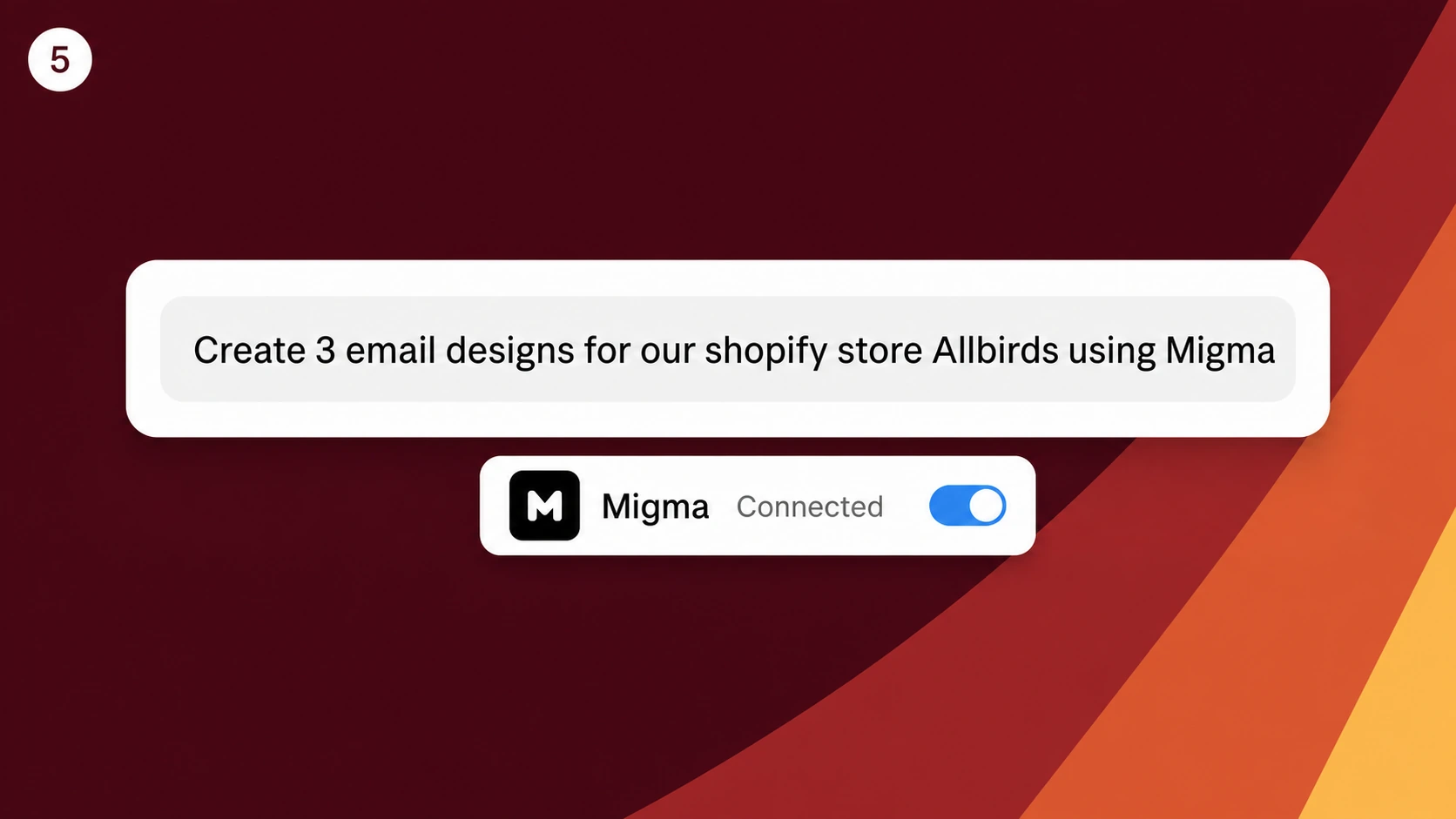
Give corrections as a bounded goal:
Keep the audience, offer, facts, links, and email count unchanged. Make email one more visual and email two more instructional. Remove repeated benefit copy. Keep typography, colors, and button treatment consistent. Return updated previews. Do not send.
Check the next result against that request before adding another change.
Workflow 2: Import Claude Design
Claude Design is useful when the visual concept already exists. Ask for an email composition rather than a general web page: one main column, clear section order, readable body copy, a visible CTA, and mobile stacking.
Example brief:
Design a product-launch email for existing customers. Use one image-led hero, three concise benefit sections, one proof section, and a final CTA. Keep body copy readable on mobile. Do not add navigation, forms, pop-ups, carousels, or web-only interactions. Use placeholders for dynamic customer values.
Export the React or JSX project as a .zip, then choose Claude Design from Migma's add-content menu. Migma can preserve the source direction as an editable email or adapt it to the selected brand.
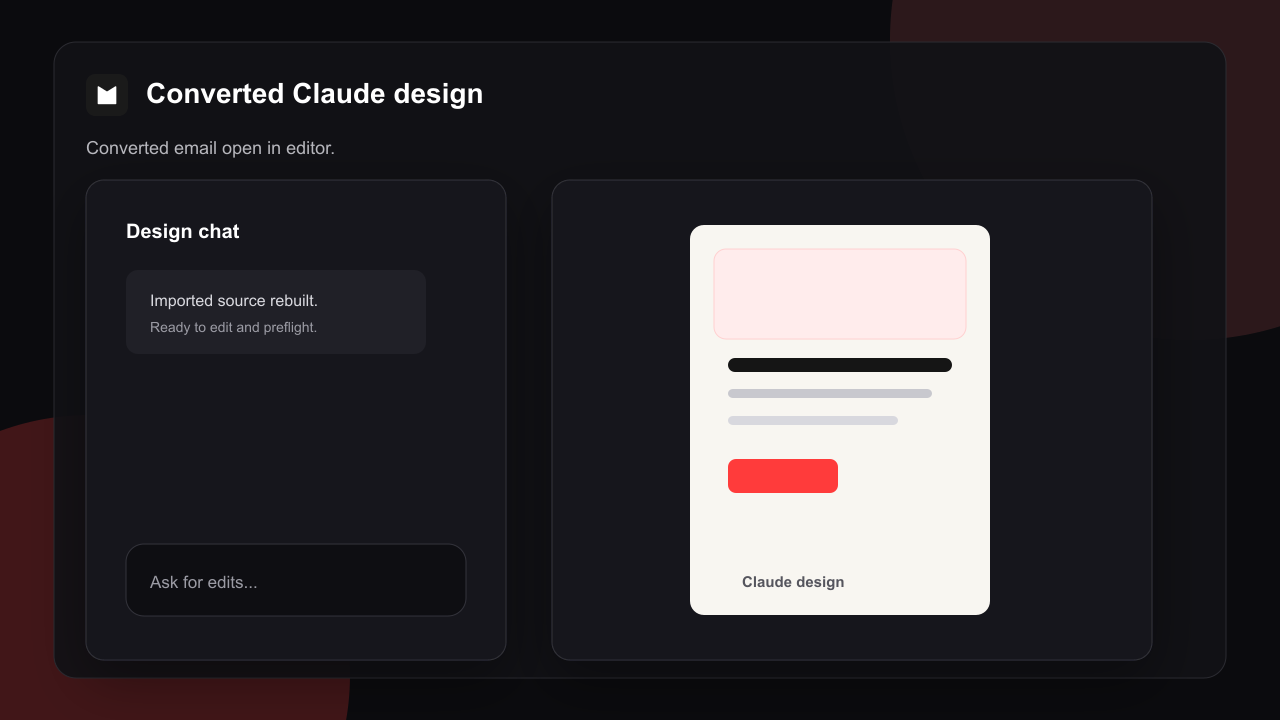
Judge the result as email. Check whether hierarchy, content, links, fonts, mobile stacking, background behavior, variables, and footer survived conversion. Pixel matching to one browser is a weak success criterion because email clients do not share one rendering engine.
Run email-specific review
Before any live action, inspect the selected email in Migma:
- Link destinations and tracking choices
- Missing or unsafe variables
- Mobile layout and font size
- Dark-mode contrast
- Outlook and Gmail warnings
- Grammar, claims, and offer details
- Footer, sender, consent, and unsubscribe behavior
- Test delivery in inboxes that matter to your audience
Claude can request checks through Migma when supported. A returned summary does not replace visual review or a received test email.
Keep approval separate from creation
Creation prompts should end at previews, canvas links, validation, campaign draft, export draft, or test send. Live audience actions deserve a separate confirmation with recipient count, sender, subject, schedule, and final content visible.
This boundary matters more as the connector gains permissions. Tool access should match the job. Revoke the Migma connection key when Claude should no longer act for the account.
When Claude is the right surface
Choose Claude when campaign work begins with research, long documents, positioning analysis, or a Claude Design concept. It fits teams that want one reasoning thread to carry the brief into email production.
Choose Slack when team discussion is already in channels. Choose Telegram for mobile-first capture and revision. Choose ChatGPT when the campaign begins in a ChatGPT workspace and Migma is available as an approved app or custom connector.
If you also use Grok Bot desktop, follow the Migma connection guide for Grok Bot to connect your account and verify brand access.
Choose your chat surface
- AI email marketing from Slack: team briefs, channel context, and threaded feedback.
- AI email marketing from Telegram: mobile-first drafting and quick founder review.
- AI email marketing from Claude: research-heavy briefs and Claude Design work.
- AI email marketing from ChatGPT: prompt-led campaign planning and custom-app workflows.
Start with Migma's Claude setup guide, verify the connection with a read-only request, then create one draft without send permission in the prompt.
Frequently Asked Questions
Can Claude create complete marketing emails?
Claude can plan, write, and design. Migma turns that work into editable email artifacts with saved brand context, previews, email-specific checks, and a controlled campaign or export handoff.
How does Claude connect to Migma?
Use Migma Remote MCP at https://migma.ai/mcp with Claude Code or Claude Desktop, then complete browser OAuth. Follow Migma's current setup guide because menus and plan controls can change.
Can Migma import a Claude Design project?
Yes. Export the React or JSX project as a zip, open Claude Design import in Migma, and choose a faithful or brand-adapted conversion path. Review the result as email rather than expecting every browser behavior to survive.
Can Claude send a campaign through Migma?
A connection with send permissions can expose consequential actions, but creation should stop at drafts, previews, validation, or a test. Review recipient scope, sender, subject, schedule, and final content before a separate live approval.
Should I use Remote MCP or Claude Design import?
Use Remote MCP when Claude should drive the campaign conversation and ask Migma to create email artifacts. Use Claude Design import when a visual React or JSX source already exists. The workflows can be combined.